asdadasda
What is android?
What is android?
A software stack for mobile devices that includes
– An operating system
–Middleware
– Key Applications
Uses Linux to provide core system services
– Security
–Memory management
– Process management
– Power management
– Hardware drivers
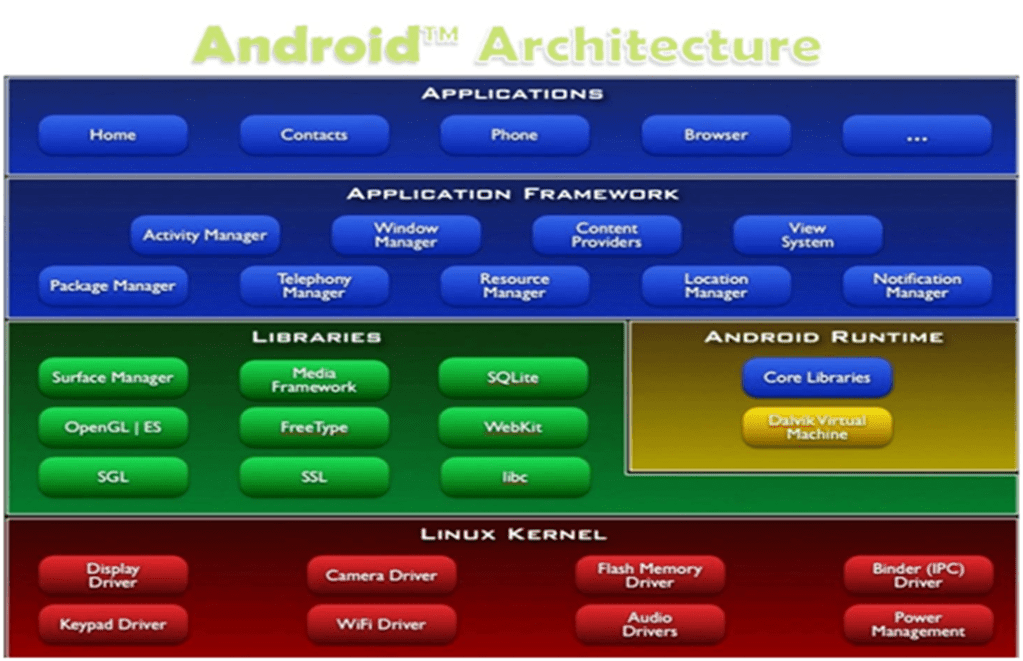
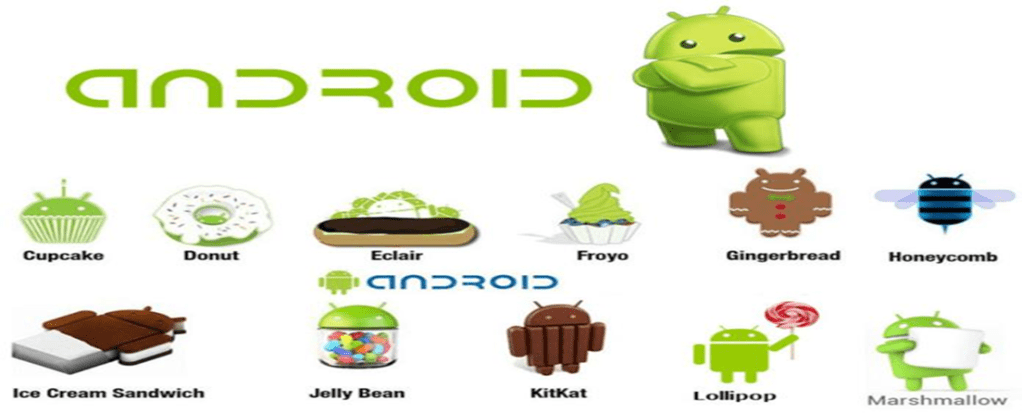
Versions of android
Types of Applications
- Native Apps
- Hybrid Apps
- Web Apps
Native Apps
Native apps are what comes to most of our minds when we think of mobile apps and are downloaded from the App Store or Google Play. What distinguishes native apps from mobile web and hybrid apps is that they are developed for specific devices. For instance, Android apps are written in Java and iPhone apps are written in Objective-C. The advantage of choosing a native app is that it is the fastest and most reliable when it comes to user experience. Native apps can also interact with all of the device’s operating system features, such as the microphone, camera, contacts lists, etc. However, a bigger budget is required if you want to build your app for multiple platforms (i.e. iPhones and Android) and to keep your native app updated.
Web Apps
Web applications are basically websites with interactivity that feels similar to a mobile app. Web apps run in multiple browsers — such as Safari or Chrome — and are written in HTML5 and/or Javascript. If your startup is on a budget and doesn’t require complex functionalities or access to operating system features, then building a web app can be the least expensive option. The downside is that web apps can be slower, less intuitive, and inaccessible through app stores. Additionally, your users won’t have your web app’s icon automatically downloaded to their home screens, so they won’t be constantly reminded to use your app.
Hybrid Apps
A hybrid app combines elements of both native and web applications. Hybrid apps can be distributed through the app stores just like a native app, and they can incorporate operating system features. Like a web app, hybrid apps can also use cross-compatible web technologies. Hybrid apps are typically easier and faster to develop than native apps. They also require less maintenance. On the other hand, the speed of your hybrid app will depend completely on the speed of the user’s browser. This means hybrid apps will almost never run as fast as a native app runs. The advantage of hybrid apps is that you can build them on a single base, which allows you to add new functionalities to multiple versions of your app. With native apps, you will need to replicate every new feature you want to introduce for each platform.
Comparison of compilers used by android
| Dalvik Virtual Machine | Android Run Time |
| •Use JIT (Just-In-Time) Compiler | •Use AOT (Ahead-Of-Time) Compiler |
| •With the Dalvik JIT compiler, each time when the app is run, it dynamically translates a part of the Dalvik bytecode into machine code. | •During the app’s installation phase, it statically translates the DEX bytecode into machine code and stores in the device’s storage. |
| •Since JIT compiles only a part of the code, it has a smaller memory footprint and uses less physical space on the device. | •This is a one-time event which happens when the app is installed on the device. With no need for JIT compilation, the code executes much faster. |
| •Less time required for installation process of application. | •Less CPU usage results in less battery drain. |
| •It take up slightly larger amounts of space to store the compiled code. |
What is gradle?
- Gradle is an automated build toolkit that can integrate into lots of different environments, via plugins.
- Things can be done by using Gradle
- Minimize Configuration Required for New Projects
- Declare Project Dependencies
- Test Your Project
- Generate Signed APKs
- Generate Multiple APKs from a Single Module
- Support a Wide Range of Devices
- Offer Different Versions of an App
- Two level of file
- Top level build file
- Module level build file
Application Components
| Components | Descriptions |
| Activities | They dictate the UI and handle the user interaction to the smartphone screen |
| Services | They handle background processing associated with an application. |
| Broadcast Receiver | They handle communication between Android OS and applications. |
| Content Providers | They handle data and database management issues. |
References
Deep Learning
What is deep learning?
Deep Learning is a subset of machine learning concerned with algorithms inspired by the structure and function of the brain called artificial neural networks.
ML vs DL

| Deep Learning | Machine Learning |
| DL is a subset of ML. It is based on neural networks, a conceptual model of the brain | It is a subset of AI. It focuses on statistical methods to enable machine to improve with experience. |
| It learns the features by itself. Very good with processing on image data | We have to explicitly tell what features to identify. |
| Can implement hand crafted features | Can’t implement hand crafted features |
| Algorithms like CNN, RNN, GANs | Algorithms like Linear Regression, KNN, Decision Tree, ANN |
Why deep learning algorithms is called neural networks?
Computing Systems inspired by Biological Neural Networks.

So basically it works on the same idea. The most basic network of deep learning is Artificial Neural Network it is also called as vanilla network. As you can see in blow picture there are inputs to the nodes of the network, hidden layer nodes and some output nodes. All these nodes are connected with some edges and some nodes receives inputs from biases. So neural network consist of main 3 layers
- Input Layer
- Hidden Layer
- Output Layer

There are the terms called activation function and biases. So an activation function is the mathematical exponential or linear function which is to be applied on the output of a particular node and its output goes to next node in the network. There are many reasons behind the usage of the activation functions.
Let’s take an example to understand the use of activation function.
When our brain is fed with a lot of information simultaneously, it tries hard to understand and classify the information between useful and not-so-useful information. We need a similar mechanism to classify incoming information as useful or less-useful in case of Neural Networks. This is a very important in the way a network learns because not all information is equally useful. Some of it is just noise. Well, activation functions help the network do this segregation. They help the network use the useful information and suppress the irrelevant data points.
Popular Activation Functions
- Identity
- Binary Step
- Sigmoid
- Tanh
- ReLU
- Leaky ReLU
- Softmax
Bias
The bias value allows the activation function to be shifted to the left or right, to better fit the data. Hence changes to the weights alter the steepness of the sigmoid curve, whilst the bias offsets it, shifting the entire curve so it fits better. Note also how the bias only influences the output values, it doesn’t interact with the actual input data
Major Architectures
- Unsupervised Pretrained Networks
- Convolutional Neural Networks
- Recurrent Neural Networks
- Recursive Neural Networks
UPNs
- Autoencoders
- Deep Belief Networks(DBNs)
- Generative Adversarial Networks(GANs)
Use cases of UPN architectures
- Feature Extraction
- Initialization
- Synthesizing
CNNs
- Lenet-5
- AlexNet
- VGGNet
- GoogleNet(Inception)
- ResNet
- ResNext
- DenseNet
- RCNN(RegionBasedCNN)
- YOLO(YouOnlyLookOnce)
- SqueezeNet
- SegNet
Use cases of CNN architecture
- Computer Vision
- Natural Language Processing
RNNs
- Hopfield Network
- Long Short-Term Memory (LSTM)
- Gated Recurrent Unit (GRU)
Use cases of RNN architecture
- Sentiment Classification
- Image Captioning
- Language Translation
- Video Captioning
Recursive Neural Network
- Recursive Autoencoder
- Recursive Neural Tensor Network
Use cases of Recursive NN architecture
- Image scene decomposition
- NLP
- Audio-to-text transcription
References
What is Blockchain and how it works?
Blockchain and its working
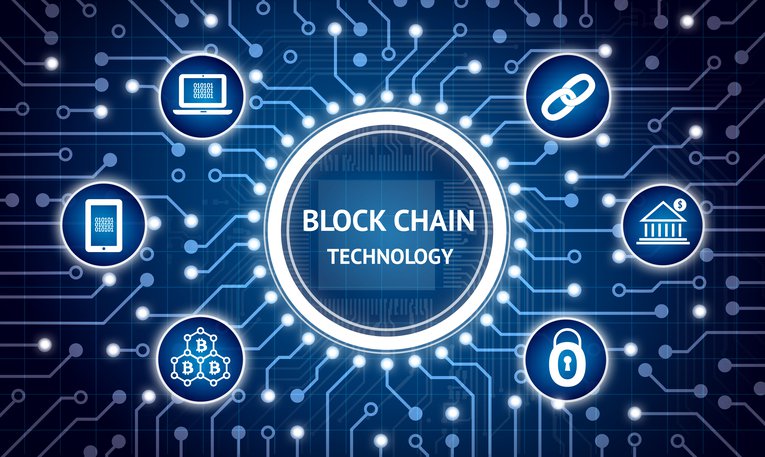
A blockchain, originally block chain, is a continuously growing list of records, called blocks, which are linked and secured using cryptography. Each block typically contains a cryptographic hash of the previous block, a timestamp and transaction data.
A blockchain is the structure of data that represents a financial ledger entry, or a record of a transaction. Each transaction is digitally signed to ensure its authenticity and that no one tampers with it. So the ledger itself and the existing transactions within it are assumed to be of high integrity.
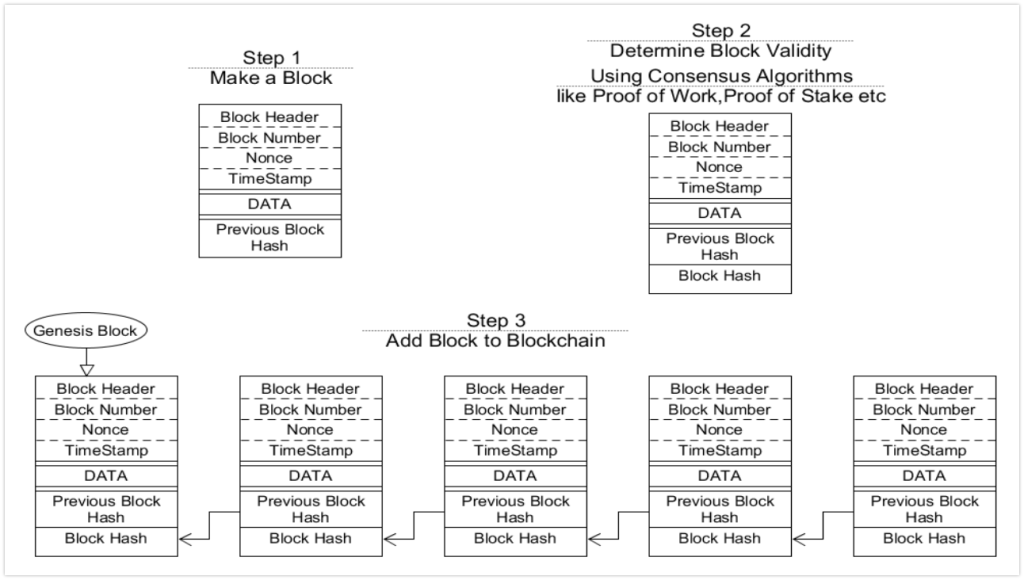
When a new transaction is made, generally a majority of the nodes within a blockchain executes some algorithms, evaluate and verify the history of the individual blockchain blocks that are proposed, and come to a consensus that the history and signature is valid, then the new transaction is accepted into the ledger and a new block is added to the chain. If a majority of nodes do not concede to the addition or modification of the ledger entry, then it is denied and not added to the chain.
Who invented?
- The first work on a cryptographically secured chain of blocks was described in 1991 by Stuart Haber and W. Scott Stornetta.
- In 1992, Bayer, Haber and Stornetta incorporated Merkle trees.
- The first blockchain was conceptualized by a person known as Satoshi Nakamoto in 2008.
Is it Secure?
Yes, One of the most secure examples of blockchain is bitcoin. It’s a well-publicized fact that some exchanges for buying and selling bitcoin currency have had security issues. But blockchain — the underlying technology for all digital currencies — has never been manipulated to date. Cryptography secures the records in a blockchain transaction, and each transaction is tied (in the chain) to previous transactions or records. In addition, the transaction records are distributed among and viewable by all participants of a blockchain distributed ledger. An attempt to tamper with the data would require that the hacker also change all the previous hash inputs in the blockchain.
Applications
- Digital Currency Transactions: Bitcoin, Etherium
- Cloud Storage: Storj
- E-voting
- Disintermediation
Disadvantages
- Performance
- Uncertain Regulatory Status
- Large Energy Consumption
- Cultural Adoption
Inside Blockchain
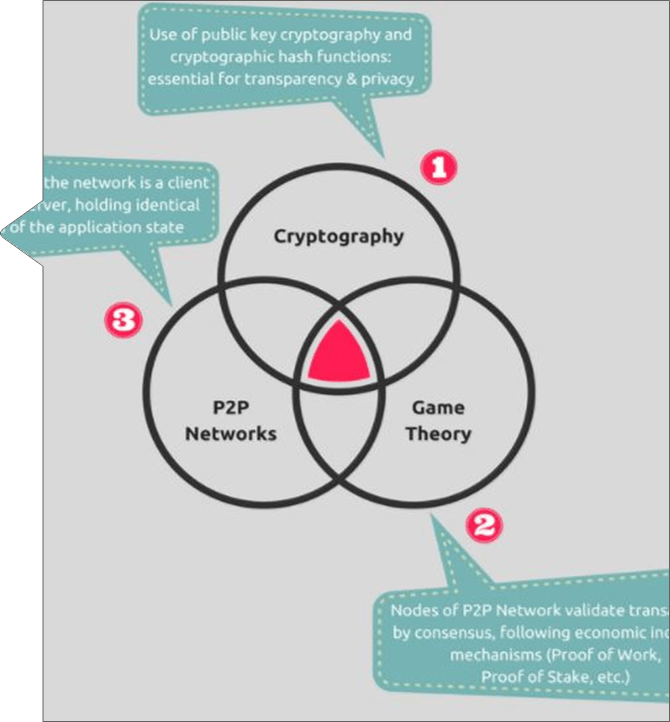
What are blocks in blockchain?
- Blocks hold list of valid transactions Each block includes the hash of previous Block It is like a chain of blocks from the genesis block to the current block.
- Blockchain is constantly growing as new completed blocks are added with new set of recordings Blocks are added in a linear, chronological order It is impossible to modify a block once it is part of the chain for a while.
- Each block consist of:
- A block number
- An arbitrary number called nonce
- The data to be recorded
- The hash string of the previous block
- Its hash string
The First Block Of Block Chain
A genesis block is the first block of a block chain. Modern versions of Bitcoin number it as block 0, though very early versions counted it as block 1. The genesis block is almost always hardcoded into the software of the applications that utilize its block chain. It is a special case in that it does not reference a previous block, and for Bitcoin and almost all of its derivatives, it produces an unspendable subsidy.
What is blockchain address?
- A blockchain address is an identifier of 26-35 alphanumeric characters, beginning with 1 or 3. Two address formats are P2PKH (Pay To Public Key Hash) begins with 1, 1AwCNTFZtuXfurUGo5Bv4n4HGg7xJaOVN3.
- Newer P2SH begins with 3, 3K98u1WpEZ73CNmQvifcrnyiXrnqRhWNMz.
- Address is like your email address and to receive payment, you need to share your address with the payer.
References
- https://blockgeeks.com/guides/what-is-hashing/
- https://theconversation.com/bitcoin-might-not-change-the-world-but-the-blockchain-that-makes-it-work-might-52516
- https://www.forbes.com/forbes/welcome/?toURL=https://www.forbes.com/sites/jonathanchester/2017/03/03/how-the-blockchain-will-secure-your-online-identity/&refURL=&referrer=
- https://www.coindesk.com/bitcoin-hash-functions-explained/
- https://blockchainhub.net/blog/blog/cryptography-blockchain-part-1/
- https://hackernoon.com/blockchain-for-voting-and-elections-9888f3c8bf72
- http://techgenix.com/blockchain-technology-for-cloud-storage/

