What is android?
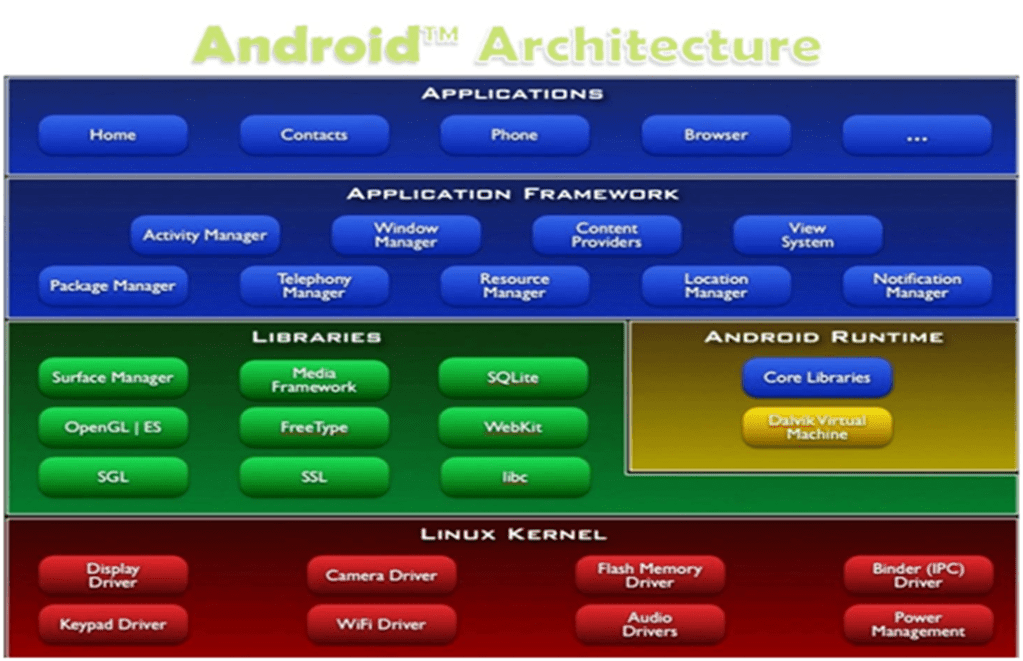
A software stack for mobile devices that includes
– An operating system
–Middleware
– Key Applications
Uses Linux to provide core system services
– Security
–Memory management
– Process management
– Power management
– Hardware drivers
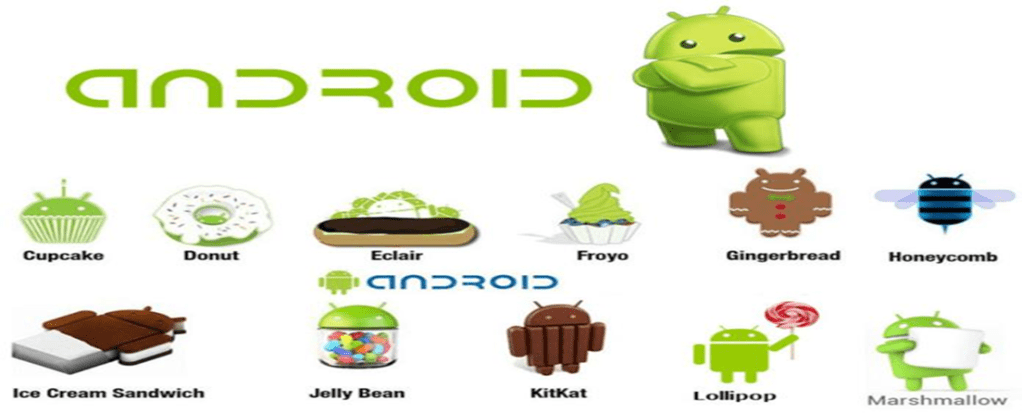
Versions of android
Types of Applications
- Native Apps
- Hybrid Apps
- Web Apps
Native Apps
Native apps are what comes to most of our minds when we think of mobile apps and are downloaded from the App Store or Google Play. What distinguishes native apps from mobile web and hybrid apps is that they are developed for specific devices. For instance, Android apps are written in Java and iPhone apps are written in Objective-C. The advantage of choosing a native app is that it is the fastest and most reliable when it comes to user experience. Native apps can also interact with all of the device’s operating system features, such as the microphone, camera, contacts lists, etc. However, a bigger budget is required if you want to build your app for multiple platforms (i.e. iPhones and Android) and to keep your native app updated.
Web Apps
Web applications are basically websites with interactivity that feels similar to a mobile app. Web apps run in multiple browsers — such as Safari or Chrome — and are written in HTML5 and/or Javascript. If your startup is on a budget and doesn’t require complex functionalities or access to operating system features, then building a web app can be the least expensive option. The downside is that web apps can be slower, less intuitive, and inaccessible through app stores. Additionally, your users won’t have your web app’s icon automatically downloaded to their home screens, so they won’t be constantly reminded to use your app.
Hybrid Apps
A hybrid app combines elements of both native and web applications. Hybrid apps can be distributed through the app stores just like a native app, and they can incorporate operating system features. Like a web app, hybrid apps can also use cross-compatible web technologies. Hybrid apps are typically easier and faster to develop than native apps. They also require less maintenance. On the other hand, the speed of your hybrid app will depend completely on the speed of the user’s browser. This means hybrid apps will almost never run as fast as a native app runs. The advantage of hybrid apps is that you can build them on a single base, which allows you to add new functionalities to multiple versions of your app. With native apps, you will need to replicate every new feature you want to introduce for each platform.
Comparison of compilers used by android
| Dalvik Virtual Machine | Android Run Time |
| •Use JIT (Just-In-Time) Compiler | •Use AOT (Ahead-Of-Time) Compiler |
| •With the Dalvik JIT compiler, each time when the app is run, it dynamically translates a part of the Dalvik bytecode into machine code. | •During the app’s installation phase, it statically translates the DEX bytecode into machine code and stores in the device’s storage. |
| •Since JIT compiles only a part of the code, it has a smaller memory footprint and uses less physical space on the device. | •This is a one-time event which happens when the app is installed on the device. With no need for JIT compilation, the code executes much faster. |
| •Less time required for installation process of application. | •Less CPU usage results in less battery drain. |
| •It take up slightly larger amounts of space to store the compiled code. |
What is gradle?
- Gradle is an automated build toolkit that can integrate into lots of different environments, via plugins.
- Things can be done by using Gradle
- Minimize Configuration Required for New Projects
- Declare Project Dependencies
- Test Your Project
- Generate Signed APKs
- Generate Multiple APKs from a Single Module
- Support a Wide Range of Devices
- Offer Different Versions of an App
- Two level of file
- Top level build file
- Module level build file
Application Components
| Components | Descriptions |
| Activities | They dictate the UI and handle the user interaction to the smartphone screen |
| Services | They handle background processing associated with an application. |
| Broadcast Receiver | They handle communication between Android OS and applications. |
| Content Providers | They handle data and database management issues. |

